Encounter
Timing, recording and review of clinical encounters for medical students
Encounter keeps time for training sessions, simulations and exams. You plan the slots in the web app, and every iPad of a zone – a room, for example – shows the same countdown. If you wish, the iPad records the encounter for review right on the device.
Sign-in is for teams of organisations that use Encounter.
What Encounter does
-
One plan for the whole zone
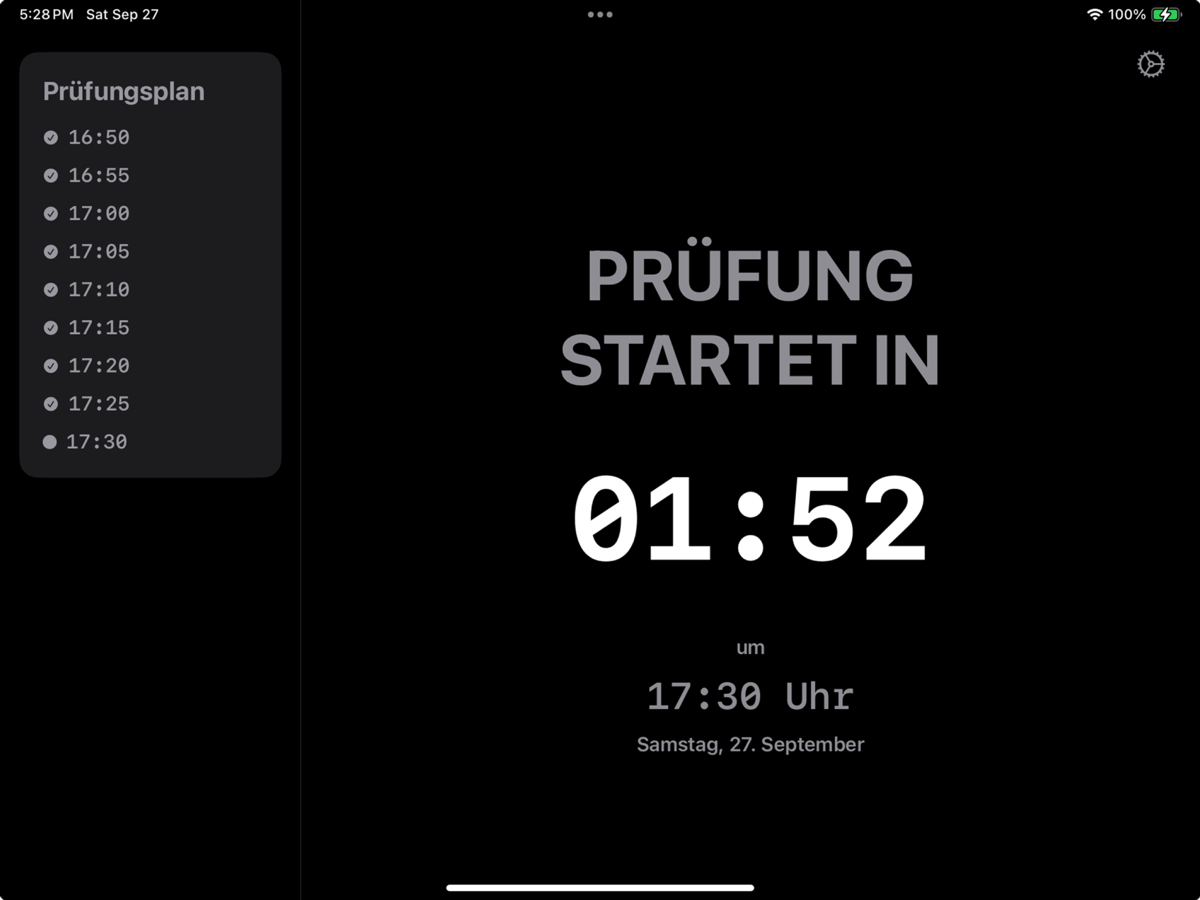
A zone is, for example, a room. Every iPad of the zone shows the same schedule, and a published plan appears on all of them at once.
-
Countdown with cues
A large countdown shows when the next slot starts and how much time is left. Sounds give the cue before the start, at the start, before the end and at the end of each slot. Before the start and during the slot, a display label appears above the countdown, and before the end the timer turns orange.
-
Recording and transcription
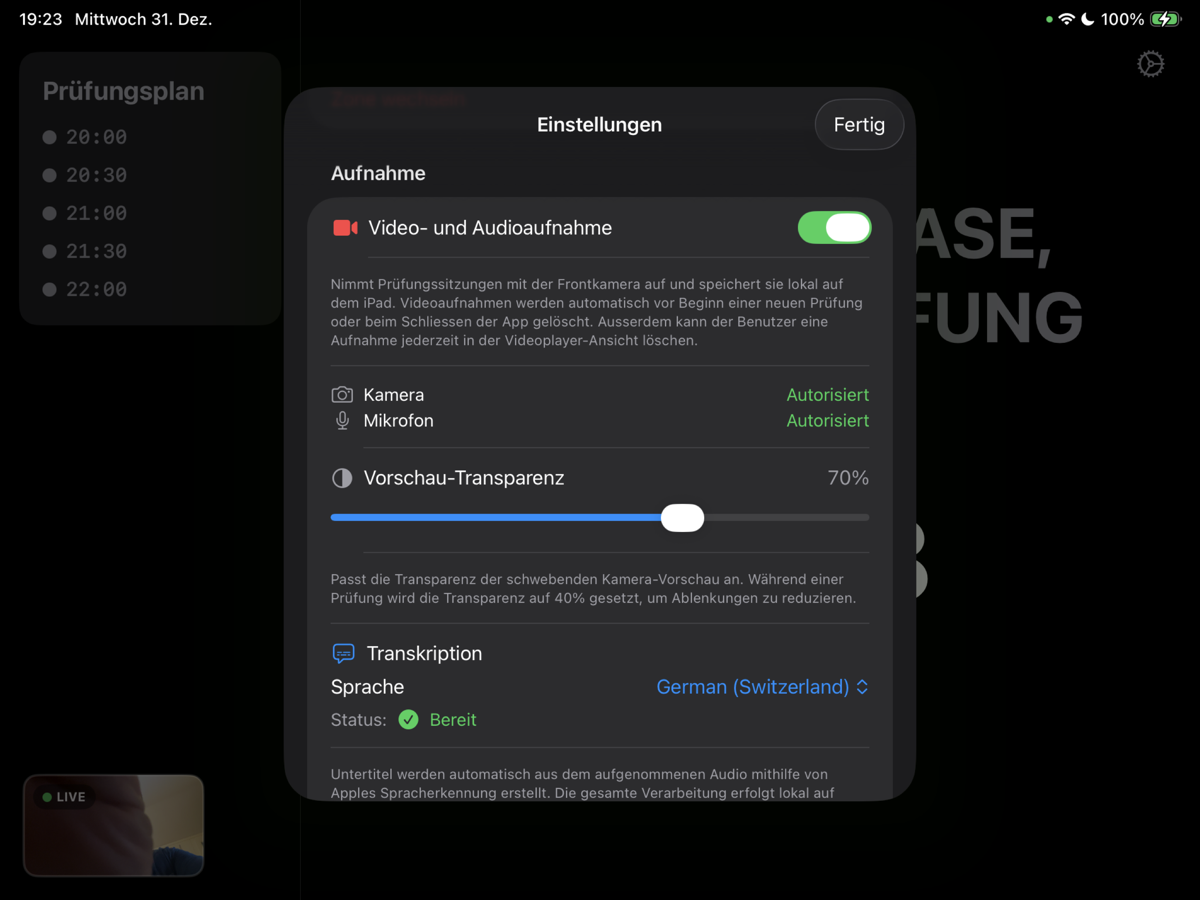
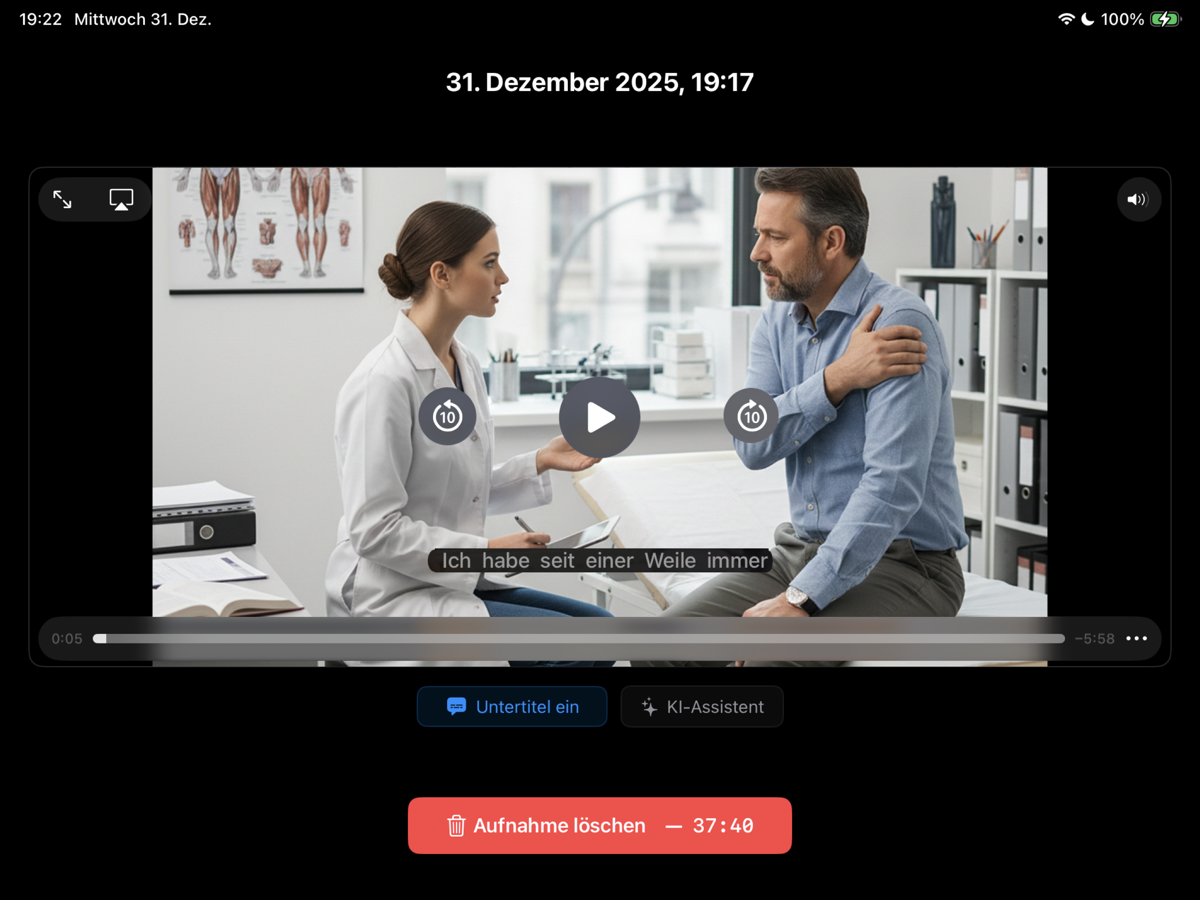
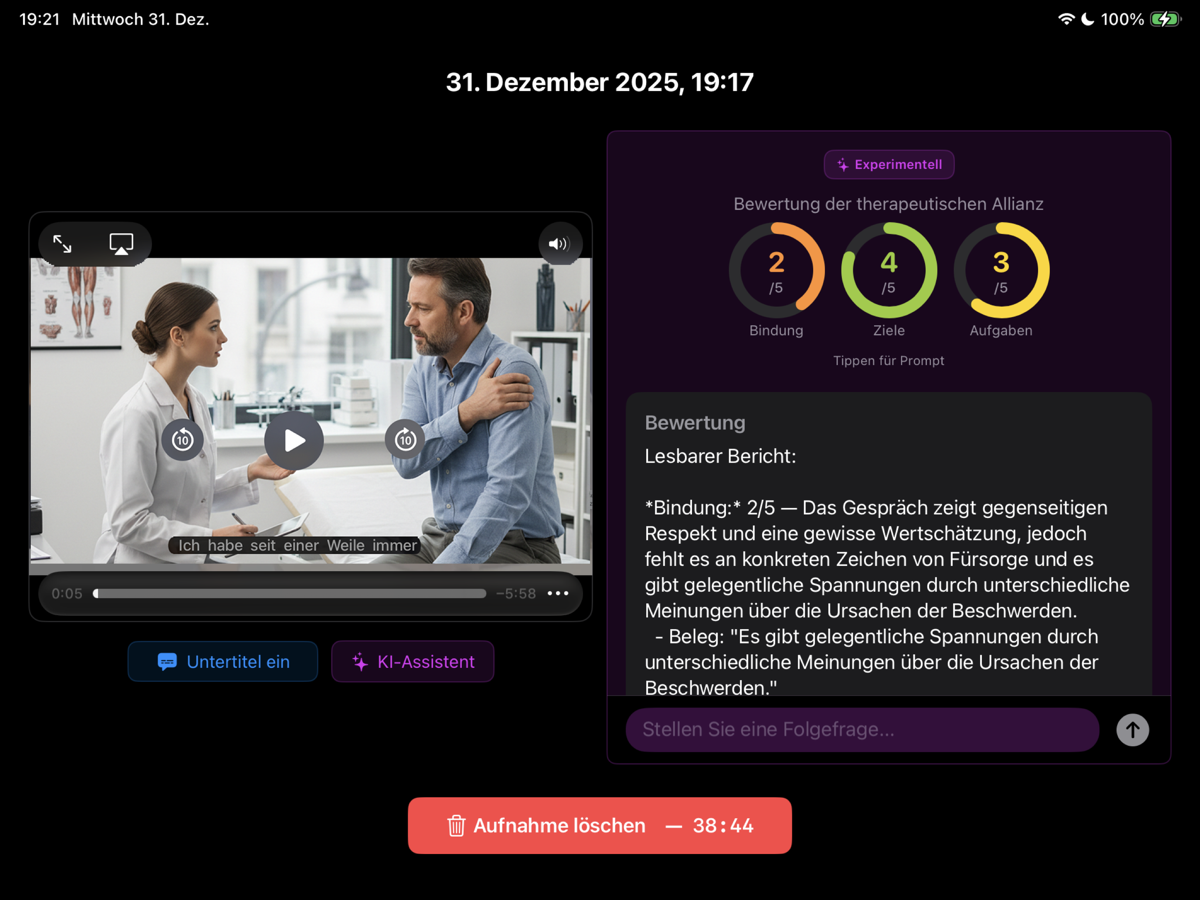
If you wish, the iPad records each slot with its camera and microphone. The transcription is created on the iPad, where you can then watch the recording with subtitles.
-
AI assessment of the working alliance Experimental
An AI assessment rates the working alliance in the conversation: bond, goals and tasks. It runs on the iPad itself, with Apple Intelligence.
How it works
-
Plan in the web app
Sign in with a link that you receive by e-mail – no password needed. Then plan the slots of each zone and publish the plan.
-
Set up the iPads with the zone code
Open Encounter on the iPad and scan the zone’s QR code, or type its eight-character code, for example K7QF-M2XD. A zone can have as many iPads as you need.
-
Run the sessions
Every iPad of the zone shows the same countdown, with sounds before the start, at the start, before the end and at the end of each slot. If you wish, the iPad records each slot.
Inside the iPad app
The screenshots show the German user interface. The people in the video are an AI-generated demo image.
Privacy
Recordings, transcripts and AI assessments are never uploaded: transcription and assessment run on the iPad. The app deletes them itself – as soon as the review is closed (at the latest before the next slot’s first cue, or 30 minutes after the day’s last slot ends), at every launch on a set-up iPad and whenever it goes to the background. Plans contain no personal data, and the web app and its database run on Google Cloud in Zurich. For sign-in, Firebase Authentication stores the staff e-mail addresses in the US. This website uses no cookies, no tracking and no ads. More in the privacy policy.
Encounter for your organisation
Each organisation gets its own site with up to four zones. The site manager adds team members and chooses the zones each of them may plan. The first organisation to use Encounter is the School of Medicine of the University of St.Gallen (HSG).
Would you like to use Encounter for training, simulations or exams? Write to us at support@encounterapp.ch.